

Master Power BI + SQL – From Data to Insights
Learn Power Bi Course how to manage, query, and analyze data using SQL and visualize it with Power BI dashboards. Beginner-friendly training in Telugu + English with real-world projects, resume prep, and placement support.

100% Live
Training

2 Years
Recordings

Free
Addon Sessions

Real Time
Projects

Massive Demand. Massive Opportunities
Hiring Demand
90% of companies use SQL & BI tools for decision-making. Every industry needs data professionals.
Salary Growth
Data Analysts earn ₹4–7 LPA (freshers) and ₹12–20 LPA (experienced professionals) in India.
Career Roles
SQL Developer, Data Analyst, Power BI Developer, BI Consultant, Reporting Analyst.
Future-Proof Skills
SQL + Power BI are the core skills for Data Analytics, AI, and Business Intelligence careers.
Global Opportunities
In-demand across Finance, Healthcare, IT, Retail, E-commerce, and Startups with global and remote job options.
Real Projects & Dashboards
Build Sales Reports, HR Dashboards, Finance Analysis, and KPI Reports with live datasets.
Companies Hiring Power BI + SQL Developers


We Understand Your Struggles – And We’ve Solved Them!
Career Confusion
- Unsure how to enter data analytics?
- Clear roadmap from SQL fundamentals → Power BI projects → Job-ready portfolio.
Coding Fear
- Afraid SQL is too complex?
- Beginner-friendly approach with step-by-step query building.
Tool Overload
- Confused between Excel, SQL, and BI tools?
- Hands-on with SQL + Power BI integration for end-to-end workflows.
Interview Stress
- Can’t answer scenario-based analytics questions?
- Mock interviews + real datasets prepare you for the toughest questions.
No Portfolio
- Nothing to showcase recruiters?
- You’ll build dashboards & SQL projects to highlight in your resume.
What Makes This Course Different
👉 Module Wise Quizzes, Assignments, and Practice Questions
👉 100% Placement assistance
👉 Industry professionals with 10+ years of experience
👉 Live Chat support assistance
👉 Access to session recordings for 2 years
👉 EMI Option also available with specified cards
👉 Get ₹10,000 Worth of Free Career Booster Add-On Sessions
👉 Dedicated Job Updates
👉 100% Live Training in Telugu
👉 Industry Ready Training
👉 Interview Questions & Study Materials
👉 Resume & Linked In Preparation
Power Bi & SQL Course Syllabus
1. Introduction to Power BI
Overview of Power BI
Licensing & terminology
Tools & building blocks
2. Power BI Desktop and Power Query Editor
Data connectivity & import
Query Editor basics
Data types & transformations
Model optimization
3. Modelling in Power BI
Schemas & relationships
Cardinality types
Cross filtering & connections
4. DAX (Data Analysis Expressions)
Calculated columns & measures
Functions (Aggregation, Date/Time, Logical, Filter)
Operators & filter context
DAX performance tips
5. Visualization in Power BI
Standard & custom visuals
Formatting & analytics features
Bookmarks, groups, buttons, tooltips
Drill down & drill through
6. Advanced Transformation and Querying Techniques
Referencing & duplicating queries
Append & merge queries
Custom & conditional columns
Parameters
7. Power BI Optimization Techniques
Performance analysis
Best design practices
DAX Studio
Power Platform integrations
Copilot & AI tools in Power BI
8. Power BI Dashboards
Dashboards vs. reports
Creating & managing dashboards
9. Power BI Services
Workspaces & apps
Publishing & sharing reports
Data refresh & export
Analyzing in Excel
10. Other Important Functionality in Power BI
Bookmarks, slicers & filters
Row Level Security (RLS)
Gateway setup
11. Introduction to Datawarehouse and Database
Relational database concepts
OLTP vs. OLAP
Operators, constraints, keys
12. Introduction to SQL
Installing SQL Server & SSMS
SQL overview
DDL & DML basics
Database creation & data types
13. DDL and DML Statements
Create, Alter, Drop tables
Insert, Update, Delete, Truncate
Queries with SELECT, WHERE
Filtering & sorting (ORDER BY, LIMIT, OFFSET)
14. Aggregate Functions, Joins and Set Operations
Aggregate functions (COUNT, SUM, AVG, MIN, MAX)
String functions (CONCAT, SUBSTRING, REPLACE, LENGTH)
INNER, LEFT, RIGHT, FULL JOIN
Group By, Having clause
Real Projects You'll Build
HR Analytics Dashboard – Employee Insights
Employee dashboard tracks headcount, attrition, diversity, performance, tenure—using SQL insights for HR engagement, retention, and workforce planning.
Executive KPI Dashboard – Management Insights
High-level dashboard unifying KPIs from Sales, Finance, Operations, HR with SQL-powered modeling, enabling executives real-time trend monitoring, decisions.
Customer Deep Dive Development – Business Analytics Domain
Power BI dashboard with SQL integration analyzing demographics, purchases, churn, and value, guiding customer segmentation, retention, and targeted marketing strategies.
Financial Reporting – Finance Domain
SQL-connected Power BI dashboard consolidating revenue, expenses, margins, cash flow, enabling accurate budgeting, performance tracking, cost-saving insights, and real-time reporting.
Sales Analytics Dashboard Consumer Goods Sector
SQL-powered Power BI dashboard tracking revenue, product trends, regions, timelines, enabling supply chain optimization, top-product identification, and timely sales insights.
Retail Store Performance Dashboard – Retail Sites Overview
SQL-backed Power BI dashboard monitoring store sales, footfall, inventory, enabling comparisons, detecting underperformance, resource optimization, and data-driven retail management.
Watch the Demo of Our Power BI + SQL Course in Telugu to Get a Preview of the Topics Covered.
Career Paths After Course
Freshers
SQL Developer (Entry Level) – ₹3.5–6 LPA
Junior Data Analyst – ₹4–7 LPA
Reporting Analyst – ₹3.5–6 LPA
Power BI Trainee Developer – ₹4–7 LPA
Intern / BI Associate – ₹2–4 LPA
Experienced
Power BI Developer / Specialist – ₹10–18 LPA
BI Consultant – ₹12–20 LPA
Senior SQL Developer – ₹12–22 LPA
Data Visualization Expert – ₹12–20 LPA
Freelance BI Consultant – ₹1L–2.5L per month (project-based income)
Complete Power BI + SQL Mastery in Telugu
- Time : 8:00 PM- 9:00 PM , 45+ Days Duration
- Start Date: 30th Oct 2025
Get ₹10,000 Worth of Free Career Booster Add-On Sessions
Resume Building
Create strong resumes with expert guidance.
Job Updates
Get access to latest openings & hiring alerts.
Interview Prep
Mock interviews and communication training.
LinkedIn Boost
Optimize your LinkedIn for visibility.
Freelancing
Learn how to start and grow as a freelancer.
Career Advancement Results
At Frontlines Edutech, we believe in transforming careers through high-quality, industry-relevant education. Our focus is on providing practical skills and knowledge that lead to real-world success. With a proven track record of impactful learning, we ensure our students are well-equipped to excel in their chosen fields and achieve their career goals with confidence.
Frequently Asked Questions
1. What is the Power BI + SQL Course all about?
The Power BI + SQL Course by Frontlines Edutech equips you with the skills to analyze data, create dynamic visualizations, and manage databases using SQL. The course covers everything from data integration to advanced dashboard creation, preparing you for a data-driven career.
2. Who is this Power BI + SQL Course for?
This course is perfect for anyone looking to build a career in data analysis, business intelligence, or database management. Whether you’re a beginner or an experienced professional looking to upskill, this course is for you.
3. Do I need prior programming or data experience?
No prior programming or data experience is required. This course starts with the basics and gradually builds to advanced concepts, making it suitable for all skill levels.
4. What is the duration of the Power BI + SQL Course?
The Power BI + SQL course spans 45+ hours and is delivered through live online classes in Telugu, ensuring interactive learning and real-time guidance from instructors. The course is designed to fit into your schedule, providing flexibility for students and working professionals alike. With comprehensive modules and live sessions, you’ll have the opportunity to build a strong foundation in Power BI while mastering advanced techniques, all in a language that makes the content accessible and easy to grasp.
5. Will I receive job placement assistance?
Yes, we provide job placement support, including resume-building, interview preparation, and access to job opportunities.
6. What if I miss a live session?
All live sessions are recorded, and you will have access to the recordings for two years. This allows you to revisit any sessions you miss.
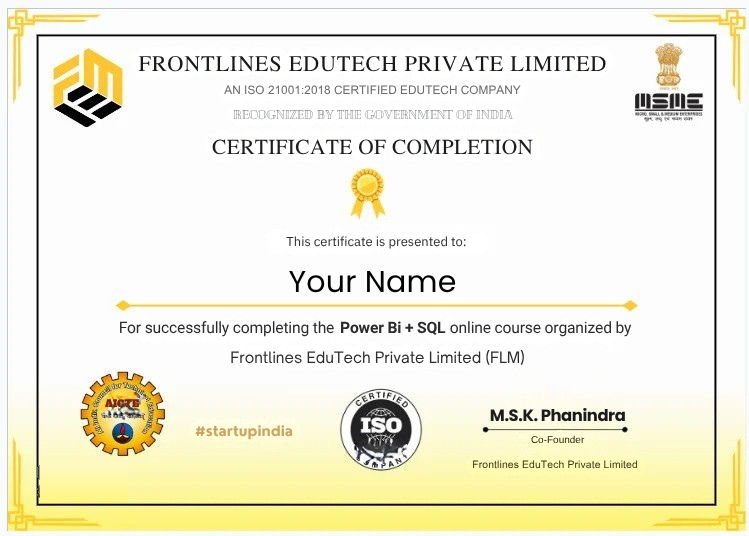
Get Certified
Yes, you’ll get a Certificate representing your Industry Readiness once you submit your projects and clear the pre placement test.

Approved by AICTE

Certified by ISO 21001:2018

Recognized by Startup India

Registered under MSME